Your Guide to Using an AI Facial Expression Changer
Discover how to use an AI facial expression changer to elevate your photos. Learn practical tips for creating realistic, engaging content for any platform.
At its core, an AI facial expression changer does exactly what it sounds like: it intelligently tweaks the emotion in a photo. You can take a poker-faced portrait and make it beam with joy or give it a look of deep contemplation, all with a few clicks.
This is more than just a fancy filter. It’s about having pinpoint control over the emotional narrative of your images, which is a massive advantage for any content creator.
Why AI Facial Expression Changers Are a Big Deal
Remember the days of taking a hundred selfies just to get that one perfect shot? The one with the right smile, the right look in your eyes? AI has pretty much made that process obsolete. Now, you can perfect the emotional tone of a photo long after the camera shutter has closed, making sure your visual message is always on point.
It’s not just about slapping a smile on a face, either. It’s about subtly crafting a feeling that connects with your audience. Whether you're managing social media accounts, creating digital art, or running a marketing campaign, you can now adjust a portrait to feel more approachable, confident, or mysterious in seconds.
From Fun Gimmick to Essential Tool
What started as a fun tech novelty has quickly become a cornerstone of modern content creation. This kind of tech falls under the umbrella of synthetic media, which is just a broad term for AI-generated or manipulated content. It's completely changing how we think about creating visuals. If you're curious to learn more, we have a great breakdown of what that means right here: https://createinfluencers.com/blog/what-is-synthetic-media.
The numbers back this up, too. The global market for this kind of software is expected to explode, jumping from US$ 1,603 million in 2025 to a whopping US$ 3,325 million by 2032. That's a pretty clear indicator that this isn't just a fleeting trend.
This guide is designed to show you exactly how to start transforming your own photos. I'll give you practical, no-fluff advice to get realistic results, whether you’re posting on Instagram or creating content for a platform like OnlyFans.
Being able to dial in these subtle emotional cues gives you a huge leg up in a seriously crowded online world. To get a better sense of what's possible, it’s worth checking out some of the best AI tools for content creation to see how deep the rabbit hole really goes.
Choosing the Right Photo for Realistic Results
The final image you get is only as good as the photo you start with. I can't stress this enough. Think of it like cooking: even the best chef in the world can't make a masterpiece with rotten ingredients. The same goes for AI editing—the quality of your original photo is the single most important factor for getting a believable result.
It really is a case of garbage in, garbage out. If you upload a blurry, low-resolution, or poorly lit photo, you're giving the AI almost nothing to work with. When the algorithm can't clearly see the corners of your mouth or the crinkles around your eyes, it has to guess. And that guesswork is what leads to those distorted, "uncanny valley" edits that just look fake.
Setting Your Edits Up for Success
To get those professional-looking results, your starting image needs to tick a few boxes. First up is resolution. Always, always start with the highest quality photo you have. More pixels mean more detail for the AI to analyze, which directly translates to cleaner, more realistic expression changes.
Next, you have to nail the lighting. Soft, even light that hits your whole face without creating harsh shadows is what you're aiming for. Dark shadows can completely hide key features, which confuses the AI and often creates weird-looking smudges or artifacts in the final picture. Stay away from direct overhead sunlight or a single, harsh lamp.
The secret to a convincing AI-generated expression isn't really about the tool—it's about giving the tool a perfect canvas to work on. A clean, clear, well-lit photo removes all the guesswork and lets the algorithm do its job flawlessly.
Common Photo Mistakes and Why They Fail
It's just as important to know what not to use. I've seen a lot of people make the same mistakes, and they almost always lead to bad results.
Here are a few common pitfalls to avoid:
- Obstructions and Weird Angles: Photos where hair, hands, or even sunglasses cover parts of the face are a no-go. The AI needs a completely clear view to work its magic. Extreme angles are also a problem, as they can warp your facial proportions and throw the algorithm off.
- Blurry or Low-Light Shots: Any kind of motion blur or a photo taken in a dim room just won't cut it. The AI needs sharp details to make a clean edit, and without them, you'll end up with a muddy, unrealistic image.
- Busy Backgrounds: While the face is the most important part, a simple, non-distracting background helps the AI focus only on what matters. This can actually improve the accuracy of the final expression.
Honestly, just brushing up on photography basics is a total game-changer here. For a much deeper dive into getting better source images, take a look at our complete guide on how to take better selfies. Putting in that little bit of effort upfront will pay off big time.
The market for this kind of technology is exploding, especially in North America. In fact, the United States market alone was worth USD 1.81 billion and is expected to grow at a CAGR of 11.6%. It’s a fascinating space with a ton of potential.
A Practical Walkthrough of Changing Expressions
Alright, enough theory. Let's get our hands dirty and actually walk through how to change a facial expression using the CreateInfluencers platform. I’ll guide you from a standard portrait to a perfectly tuned image, breaking down each part of the process along the way.
Think of it this way: the journey begins the moment you upload your photo. Once you're logged into the dashboard, the process is dead simple. Just select the image you've prepped, and you'll see the AI immediately start analyzing the key facial features. It's surprisingly fast.
Exploring the Expression Library
Once your photo is loaded, the real magic happens. You’ll be presented with a whole library of moods and expressions. This isn't just a basic "happy" or "sad" filter; it’s a deep collection of nuanced emotions. You can browse through options like confident, surprised, seductive, joyful, and many other subtle variations.
Let's imagine you have a professional, but kind of bland, headshot that you want to use for a friendly brand collaboration. All you have to do is find and select the "beaming smile" option. The AI then intelligently redraws the mouth, subtly raises the cheeks, and even adds that natural crinkle around the eyes to really sell the emotion.
This simple flowchart lays out the core principles of picking the right photo to get a great result every time.
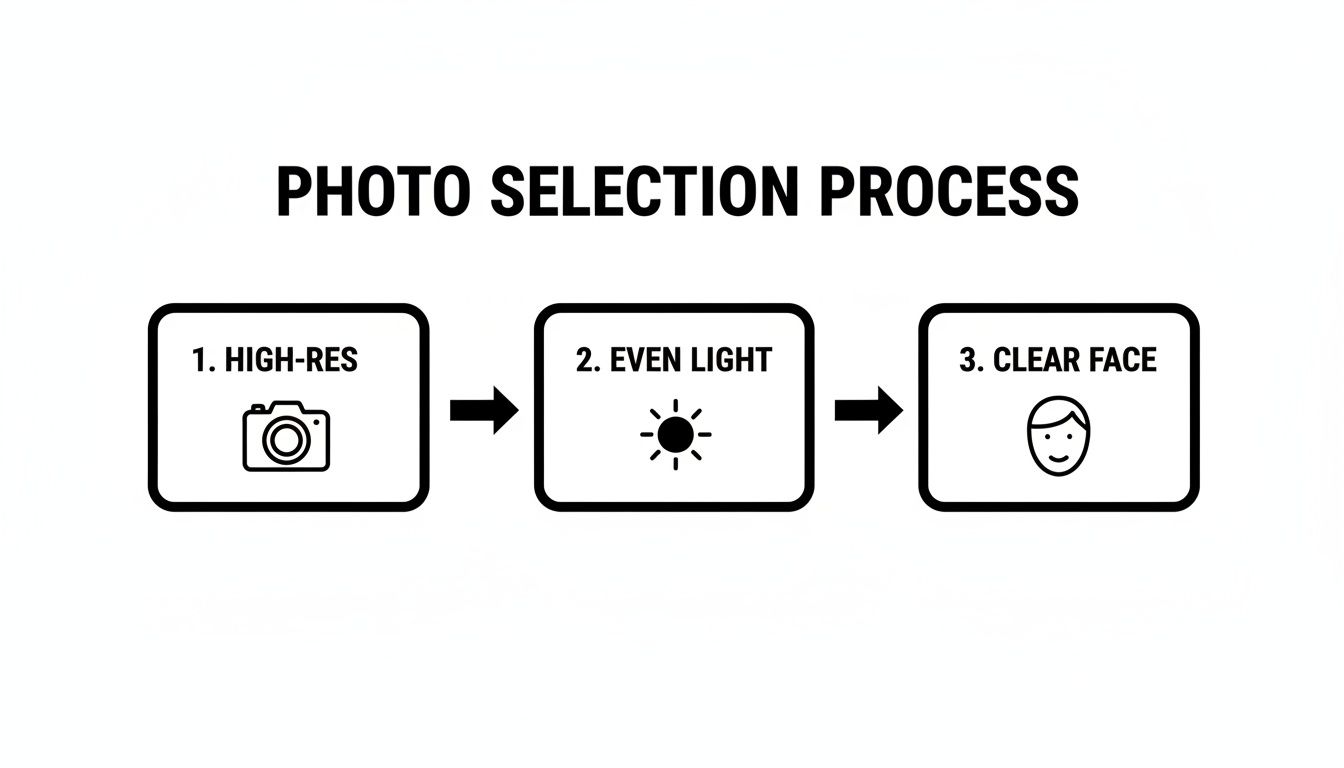
As you can see, it all comes down to starting with a high-resolution, evenly lit photo where the face is clear and unobstructed. These are the non-negotiable building blocks for a believable transformation.
Let’s run through another scenario. Say you’re an OnlyFans creator and you need to generate a set of images with a more intense, alluring look, but you only have a few shots from one photoshoot. You could take one great photo and apply the "seductive" or "confident" expression. The platform will subtly alter the eyebrows, slightly part the lips, and adjust the gaze to create a completely different vibe.
The real power here is efficiency and control. Instead of needing to capture dozens of photos during a shoot, you just need one perfect shot. The facial expression changer becomes your digital director, letting you craft the precise emotional tone for any context you need.
Applying and Fine-Tuning Your Chosen Mood
Once you click on an expression, the tool applies the change in just a few seconds. This is way more than just warping a few pixels around; it's a generative process. The AI actually understands the underlying facial structure—how the frontalis muscle lifts the brow or how the orbicularis oculi muscle contracts when you smile.
This anatomical understanding is what allows it to create changes that feel organic rather than just pasted on. For instance, a real smile doesn't just involve the mouth; it engages the whole face. A quality tool like this replicates those tiny muscle interactions. If you want to dive deeper into the subtleties, check out a guide to achieving the perfect expression in AI business headshots.
The technology in this space is always getting better, giving creators more powerful options than ever. If you're curious about similar tools, our guide on the best face swap software explores other platforms that can alter and enhance your images. These tools put sophisticated editing techniques, which used to be reserved for professional retouchers, right at your fingertips. The goal is to empower you to create compelling visual stories without all the hassle.
Fine-Tuning Your Edits to Avoid the Uncanny Valley
Getting the AI to swap out a facial expression is the easy part. The real artistry comes in making that new expression look like it actually belongs on that person's face. This is where you graduate from just clicking buttons to truly refining the image. The goal is to sidestep the dreaded unccanny valley—that weird, unsettling feeling you get when something looks almost human, but not quite.
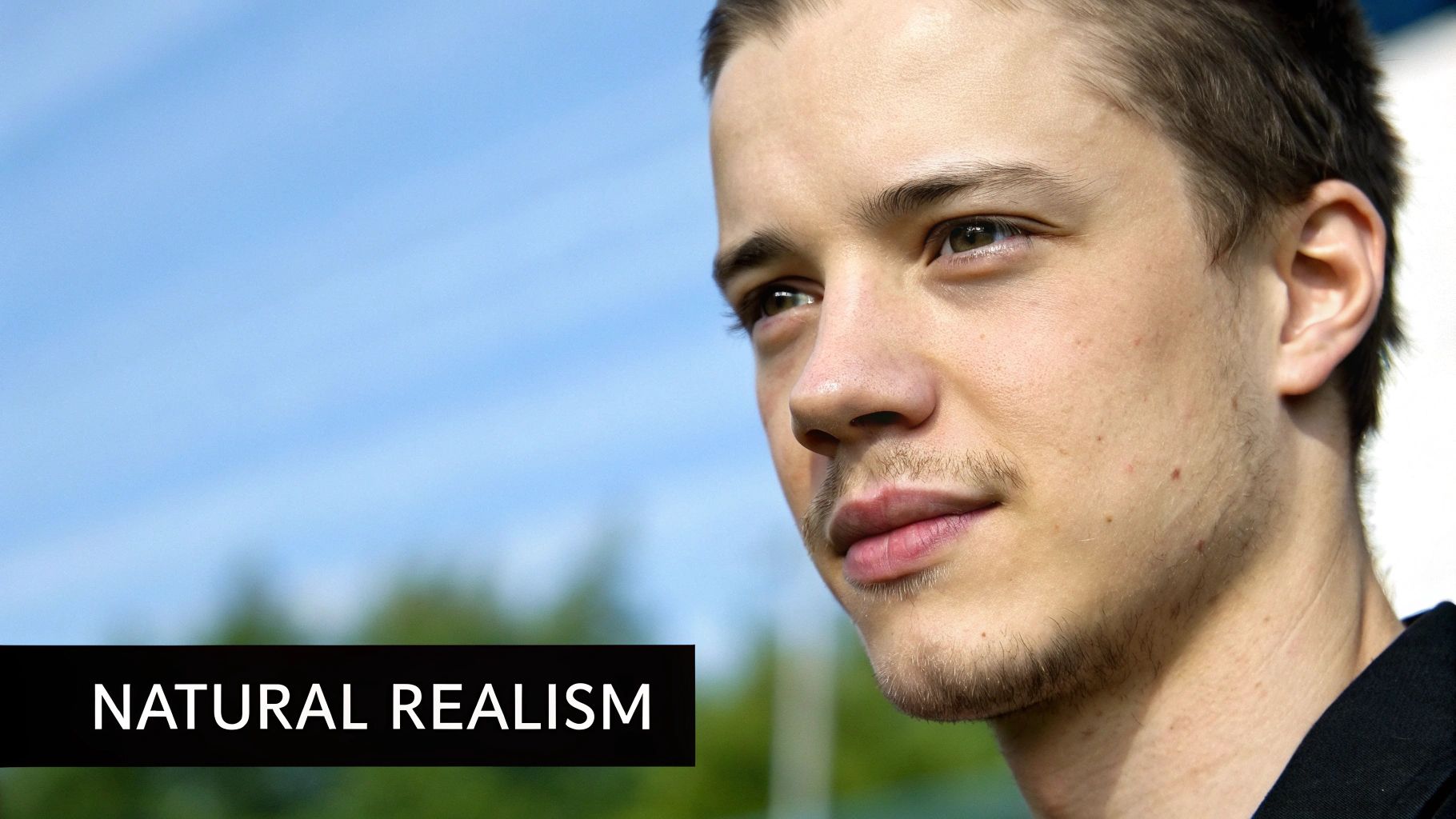
The secret is usually in the intensity. Think about it: a massive, ear-to-ear grin might be perfect for a party shot on Instagram, but it would look bizarre on a professional headshot for LinkedIn. This is exactly why intensity sliders are your best friend. A quick tweak can take a 100% joyful smile and dial it back to a subtle, confident smirk that feels way more authentic for the situation.
Blending Edits for Believable Realism
What makes a photo feel real are the tiny details—the micro-expressions. A genuine smile isn’t just about turning up the corners of the mouth. It engages the muscles around the eyes, specifically the orbicularis oculi, which creates those little crinkles we call "crow's feet." A good AI understands this anatomy and tries to mimic those subtle muscle shifts.
As you fine-tune, your job is to be the quality control. Zoom in and really look at the final image. Does the new smile blend naturally with the person's eyes and cheeks? If any part feels pasted-on or disconnected, dial back the intensity. Sometimes, choosing a slightly different but less extreme expression is all it takes to make it click.
The edits that fool everyone are almost always the most subtle. Instead of going for a huge, dramatic change, try making small, targeted adjustments. This keeps the person looking like themselves while still shifting the emotional narrative of the photo.
Expression Intensity Guide for Different Platforms
Not all platforms are created equal. The emotional tone that works on a fun, casual app like TikTok might fall flat on a more professional network. The key is to match the expression's intensity to the audience's expectation.
Here’s a quick guide I use to decide how strong to make an expression depending on where I plan to post the image.
| Platform | Desired Tone | Recommended Intensity | Example Use Case |
|---|---|---|---|
| OnlyFans/Patreon | Intimate, Playful, Seductive | 70-100% | A flirty wink or a full, genuine smile for exclusive, behind-the-scenes content. |
| Authentic, Engaging, Vibrant | 50-90% | A happy, excited look for a travel post or a confident smirk for a brand collaboration. | |
| TikTok | Comedic, Surprised, Dramatic | 80-100% | An over-the-top shocked face for a reaction video thumbnail or a joyful laugh. |
| Professional, Confident, Approachable | 20-40% | A subtle, gentle smile for a profile picture that conveys trustworthiness and competence. | |
| Dating Apps | Friendly, Warm, Inviting | 40-70% | A warm, natural-looking smile that isn't forced, making you seem approachable. |
This table is just a starting point, of course. Always consider the specific context of your post, but it's a solid framework for making sure your edited expressions land perfectly with your intended audience.
Pro Tips for Indistinguishable Results
After spending more hours than I'd like to admit tweaking these images, I've picked up a few tricks that consistently deliver knockout results. These are the little things that separate a "good" edit from one that's impossible to spot.
Here are a few of my go-to moves:
- Add a Touch of Asymmetry. Real faces are almost never perfectly symmetrical. It's a dead giveaway of an AI edit. If your tool allows, introduce a tiny bit of asymmetry—maybe raise one side of the mouth just a hair higher than the other.
- Upscale with HyperReal. Before you even think about exporting, run the final image through a quality upscaler like the HyperReal engine. This process sharpens the crucial details, especially around the eyes and lips, giving the photo a crispness that sells the illusion.
- Compare to Real-Life References. I keep a folder of real portraits with all sorts of different expressions. Pulling your edit up next to a genuine photo is the fastest way to spot anything that looks artificial. Your eyes will immediately tell you what's wrong.
Nailing these small adjustments is what builds a genuine connection with your followers. If you're ready to go even deeper, our guide on crafting a convincing realistic AI photo covers more advanced techniques. At the end of the day, the best edit isn’t the one that looks technically perfect—it's the one that feels human.
Putting Your New Skills to Work
Okay, so you've nailed the technical side of using a facial expression changer. The really fun part starts now. This is where we go beyond just tweaking a photo and start thinking like a creator with a powerful new tool. What you’ve learned isn’t just a gimmick; it’s a serious asset for building your brand, hooking an audience, and opening up new ways to make money.
You're no longer just fixing a photo where you blinked. You're now the director of the emotional story your content tells, and that's a whole new world of creative and commercial potential.
A Game Changer for Marketers and Influencers
If you're in marketing, being able to fine-tune the emotional vibe of an image is a massive advantage. Let's say you're running an ad campaign. You can create two versions of the exact same ad photo: one with a bold, confident expression and another with a warm, friendly smile. Run them both. A/B testing like this gives you hard data on which emotion actually gets more clicks, telling you precisely what connects with your audience.
This is also huge for anyone working with AI influencers or virtual models. To make a digital persona feel real and relatable, you need emotional consistency. A facial expression changer lets you make sure your AI model shows a believable range of feelings—joy, curiosity, pensiveness—that all fit their character. It's the key to making them feel more human and less like a static doll.
The real magic isn't just turning a frown into a smile. It's about having an entire emotional toolkit. You can now craft a specific, intentional reaction from your audience with every single image you post.
Monetization Strategies for Creators
For creators on platforms like OnlyFans, Fanvue, or Patreon, this technology is a straight-up productivity booster. We all know the pressure for new, exciting content is relentless. Photoshoots are a huge drain on time and money.
Imagine this: you do one high-quality photoshoot and turn that single session into dozens of completely unique photo sets.
From one good shot with a neutral face, you can generate an entire series of images showing different moods:
- Playful and winking
- Seductive and mysterious
- Thoughtful and quiet
- Pure joy and laughter
This lets you build out diverse content packs for your subscribers, run themed promotions, or even fulfill specific fan requests without having to book another photoshoot. It’s an incredibly efficient way to keep your feed fresh and your audience happy.
And the demand for this kind of emotional detail is undeniable. The facial expression and emotion recognition segment already makes up over 60% of its market, which shows just how central this tech has become. You can discover more about the growth of this technology from recent industry research.
Common Questions About AI Expression Changers
Anytime you start playing with a new piece of tech, you're going to have questions. It's only natural. When it comes to AI that can change facial expressions, people usually worry about the ethics, wonder what the AI can realistically do, and want the practical details to get it right. Let's dig into some of those common questions so you can use these tools confidently.
The big one is always ethics. Is it okay to change your own face in a photo? The short answer is yes, as long as you’re being responsible about it. Editing your own pictures for a creative project, a marketing campaign, or just to spice up your social feed is totally fine.
Where things get tricky is when the tech is used to mislead or harm. Creating deepfakes of people without their permission or spreading fake news is a huge ethical line to cross. The rule of thumb is simple: use these tools to create better content for yourself, not to fool or hurt someone else. If you're an influencer or brand, a little transparency about using AI can go a long way in keeping your audience's trust.
Can AI Perfectly Replicate Human Emotions?
Modern AI is shockingly good at generating standard expressions. It can nail happiness, surprise, or anger with a ton of realism because it's been trained on countless real photos. The algorithms learn how muscles like the frontalis in your forehead or the orbicularis oculi around your eyes work together for each emotion.
But it's not perfect. AI can sometimes get tripped up on really subtle or mixed emotions—that look of bittersweet memory or a flash of sarcastic amusement. Those are tough. The AI gives you an amazing starting point, but the real magic comes from you stepping in. Tweaking the intensity and fine-tuning the little details is what makes the final expression feel genuinely yours.
The goal isn't just to slap a filter on a photo. It's about collaborating with the AI to create an emotion that feels authentic. Think of yourself as the director and the AI as a very capable actor you're guiding.
What Are the Best Image Specs for Uploading?
This is probably the most important technical tip I can give you. The quality of the photo you start with will absolutely make or break your final result. You have to give the AI good material to work with.
Here’s a quick checklist to follow for the best results:
- File Type: Stick with high-quality formats like JPEG or PNG.
- Resolution: Aim for at least 1080x1080 pixels. Honestly, bigger is always better. More pixels give the AI more data to work with, which means a much sharper, more believable edit.
- Image Quality: Don't even try using photos that are blurry, grainy, or poorly lit. If the AI can't clearly see the key features of a face, it's going to produce a distorted, amateur-looking mess.
It also helps to understand the bigger picture of where this technology fits in. For a more comprehensive look, check out our article explaining what is AI-generated content and the impact it's having.
Ready to take full control over the emotional narrative of your photos? With CreateInfluencers, you can effortlessly transform your images, fine-tune expressions, and create stunning, high-resolution content in minutes. Start creating for free today and see the difference for yourself.