7 Incredible Digital Art Portfolio Examples to Inspire You in 2026
Discover the best digital art portfolio examples for 2026. Get inspired by top artists and learn actionable strategies to build a standout portfolio.
In the crowded digital landscape of 2026, a generic portfolio just won't cut it. To land high-value clients, score your dream job at a top studio, or build a loyal fanbase, your portfolio needs to be more than a gallery. It must be a strategic tool that tells your unique story as an artist. It's your digital handshake, your 24/7 salesperson, and your creative legacy all rolled into one.
But where do you start? How do you move from a folder of JPEGs to a compelling, professional showcase that gets results? We've analyzed countless digital art portfolio examples to find what works right now. This guide breaks down 7 of the most effective platforms and builders, providing deep strategic analysis and actionable takeaways you can use today. We'll explore everything from community-driven platforms like ArtStation and Behance to powerful all-in-one builders.
For a deeper dive into platforms designed specifically to showcase creative work, consider this guide on the best website builders for artists. Our goal is to give you a clear blueprint for crafting a portfolio that not only displays your art but elevates your career.
Each example in this list includes:
- Annotated screenshots to highlight key design and UX choices.
- A "What Works & Why" breakdown explaining the strategic thinking behind the layout.
- Actionable takeaways you can apply to your own portfolio immediately.
- Direct links to see the portfolio in action.
Let's dive into the examples that will help you build a portfolio that truly stands out.
1. Behance (Adobe)
Behance, part of the Adobe ecosystem, is less of a single portfolio example and more of a massive, dynamic gallery where millions of creators showcase their work. It stands as a cornerstone for digital artists, serving as both a professional social network and a powerful portfolio hosting platform. Its sheer scale and integration with Adobe's creative tools make it an essential destination for anyone looking for high-quality digital art portfolio examples.
The platform is built around "Projects," which are individual portfolio pieces that can include images, text, videos, and interactive prototypes. This project-based structure allows artists to provide deep-dive case studies, showing everything from initial sketches to the final polished piece. This narrative approach is incredibly valuable for potential clients and recruiters who want to understand an artist's creative process, not just their final output.
Why Behance Stands Out
Behance’s primary strength lies in its discovery engine. Adobe’s curation team actively features standout projects across various creative fields, giving artists a chance to gain massive exposure overnight. This "Featured" gallery system creates a meritocratic environment where high-quality work can be seen by millions, including creative directors at major companies.
Furthermore, Behance is tightly integrated with the Adobe Creative Cloud. Artists can seamlessly sync projects from tools like Photoshop and Illustrator directly to their Behance profile or Adobe Portfolio, a sister service for creating more traditional, polished portfolio websites. This makes updating your portfolio incredibly efficient.
Strategic Insight: The social networking features, like appreciations (likes), comments, and following other artists, create a feedback loop. Engaging with the community by commenting on other artists' work can significantly increase your own profile's visibility and drive traffic back to your projects.
How to Get Started
Signing up for Behance is free, though it requires an Adobe ID. You can host an unlimited number of projects without any cost. While the platform is free, monetization features come with certain conditions.
| Feature | Cost & Access |
|---|---|
| Project Hosting | Free for unlimited projects with a free Adobe ID. |
| "Hire Me" Button | Free feature, allows potential clients to contact you directly. |
| Subscriptions | Artists can offer paid subscriptions for exclusive content. |
| Digital Asset Sales | Sell assets like brushes, templates, and 3D models directly on Behance. |
| Platform Fees | Monetization features are subject to platform fees, which can be reduced with a paid Adobe Creative Cloud subscription. |
Practical Tips for Success
- Tell a Story with Your Projects: Don't just upload a final image. Include work-in-progress shots, mood boards, and text explaining your creative decisions. This is especially crucial for specialized fields like character design; for more ideas on how to showcase your process, check out these tips for effective character design.
- Use High-Quality Cover Images: Your project's cover image is what users see when browsing. Make it compelling, clear, and representative of the project's quality to maximize clicks.
- Tag Your Work Strategically: Use relevant keywords and tags for your projects, including the software you used (e.g., Photoshop, Blender) and the creative field (e.g., Concept Art, Illustration). This is critical for appearing in search results.
Website: https://www.behance.net
2. ArtStation
ArtStation has carved out a niche as the premier showcase for artists in the entertainment industry, particularly in gaming, film, and VFX. It functions as a high-fidelity portfolio platform where professionals and aspiring artists display their most polished work. More than just a gallery, it's a bustling hub where studios and recruiters actively scout for talent, making it an indispensable resource for those seeking digital art portfolio examples from the top tier of the industry.
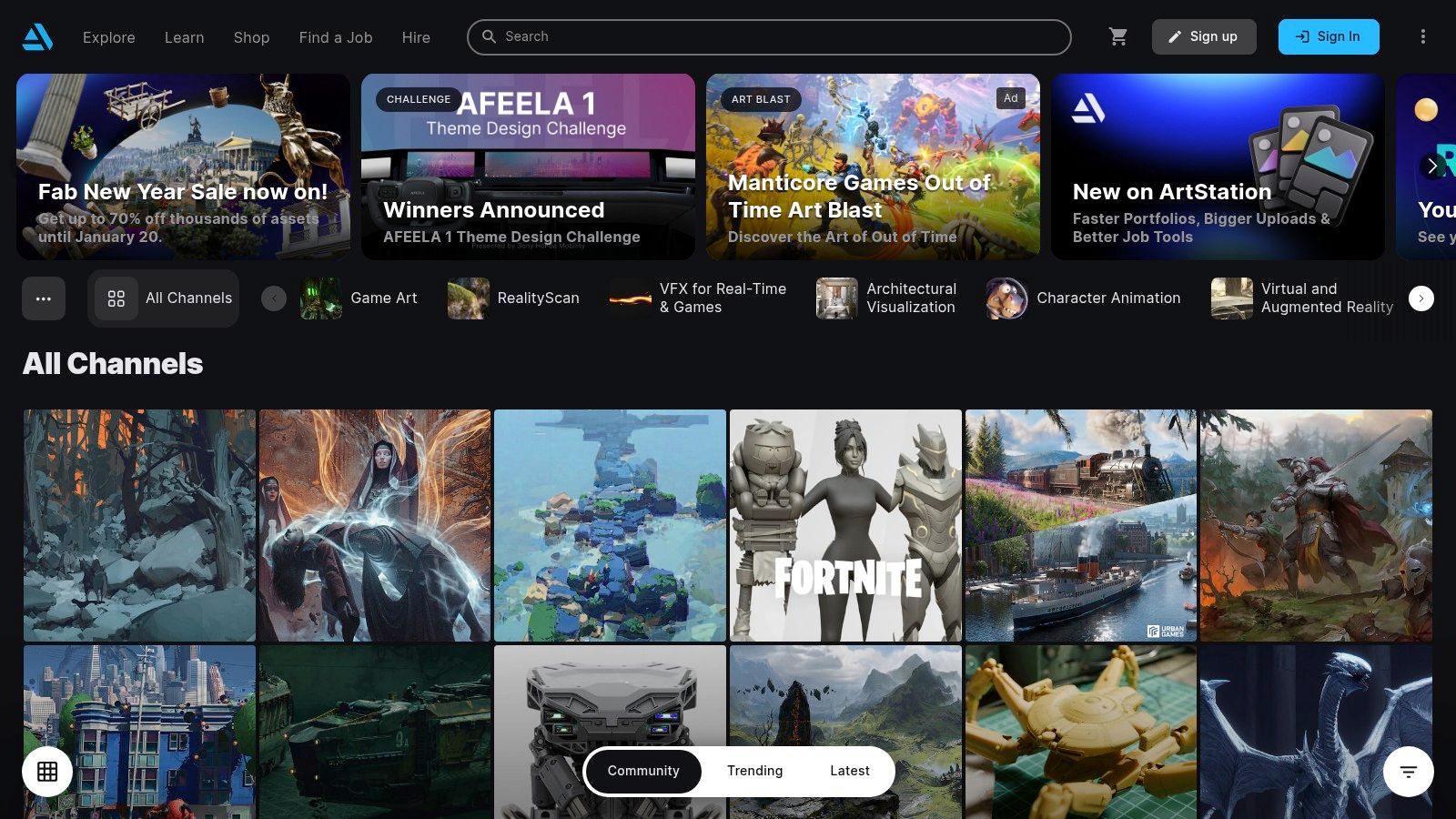
The platform is designed to handle the demanding technical needs of digital art, with support for ultra-high-resolution images, 4K video, and interactive 3D model viewers. This focus on quality presentation allows artists to showcase their work without compromise. A project on ArtStation isn't just an image; it can be a comprehensive breakdown including Marmoset viewers, video turntables, and detailed descriptions of the software and techniques used.
Why ArtStation Stands Out
ArtStation’s strength is its deep connection to the professional entertainment art world. Major studios like Blizzard Entertainment, Riot Games, and ILM have a strong presence, using the platform for recruitment and to feature their artists. The homepage often features trending work that aligns with industry standards, setting a high bar for quality and giving users a clear sense of what professional-level work looks like.
Its Marketplace is another key differentiator, allowing artists to sell digital assets like 3D models, custom brushes, and in-depth tutorials. This creates a direct monetization path for creators. Furthermore, ArtStation Learning provides a vast library of courses from industry experts, which is now free for all users, democratizing access to professional education.
Strategic Insight: The "Jobs" board and "Challenges" sections are powerful tools for visibility. Actively participating in community challenges or applying for jobs directly on the platform signals to recruiters that you are engaged and available, often leading to more profile views and direct opportunities.
How to Get Started
Creating a basic portfolio on ArtStation is free. However, unlocking its full potential, such as custom domains and advanced analytics, requires a paid subscription. The tiered system caters to different needs, from hobbyists to professional studios.
| Feature | Cost & Access |
|---|---|
| Portfolio Hosting | Free for a standard artstation.com subdomain. |
| ArtStation Learning | Free access to all on-demand courses for all users. |
| Marketplace Sales | Revenue share varies by plan; Pro users keep up to 95% of sales. |
| Custom Domain | Available with a paid Pro subscription. |
| Advanced Features | Premium themes and website customization are locked behind paid tiers. |
Practical Tips for Success
- Showcase Technical Skill: Use the platform’s features to your advantage. If you're a 3D artist, embed a Marmoset or Sketchfab viewer. For character artists, include high-resolution texture maps and wireframe shots to demonstrate your technical proficiency.
- Engage with the Jobs Board: Even if you're not actively looking for a new role, browsing the jobs board gives you insight into what skills and styles studios are currently hiring for. Tailor your portfolio to meet these demands.
- Leverage the Marketplace: Creating and selling high-quality digital assets can create a passive income stream and establish you as an expert in your niche. You can even use assets generated by some of the best AI image generators as a base for custom brushes or texture packs.
Website: https://www.artstation.com
3. Dribbble
Dribbble is a high-visibility portfolio platform and lead-generation hub, particularly popular among illustrators, UI/UX designers, and visual artists. It functions as a professional community where creators share bite-sized previews of their work, known as "Shots," to attract clients and gain feedback. The platform’s focus on quick, visually appealing snapshots makes it a go-to source for discovering design trends and finding compelling digital art portfolio examples.
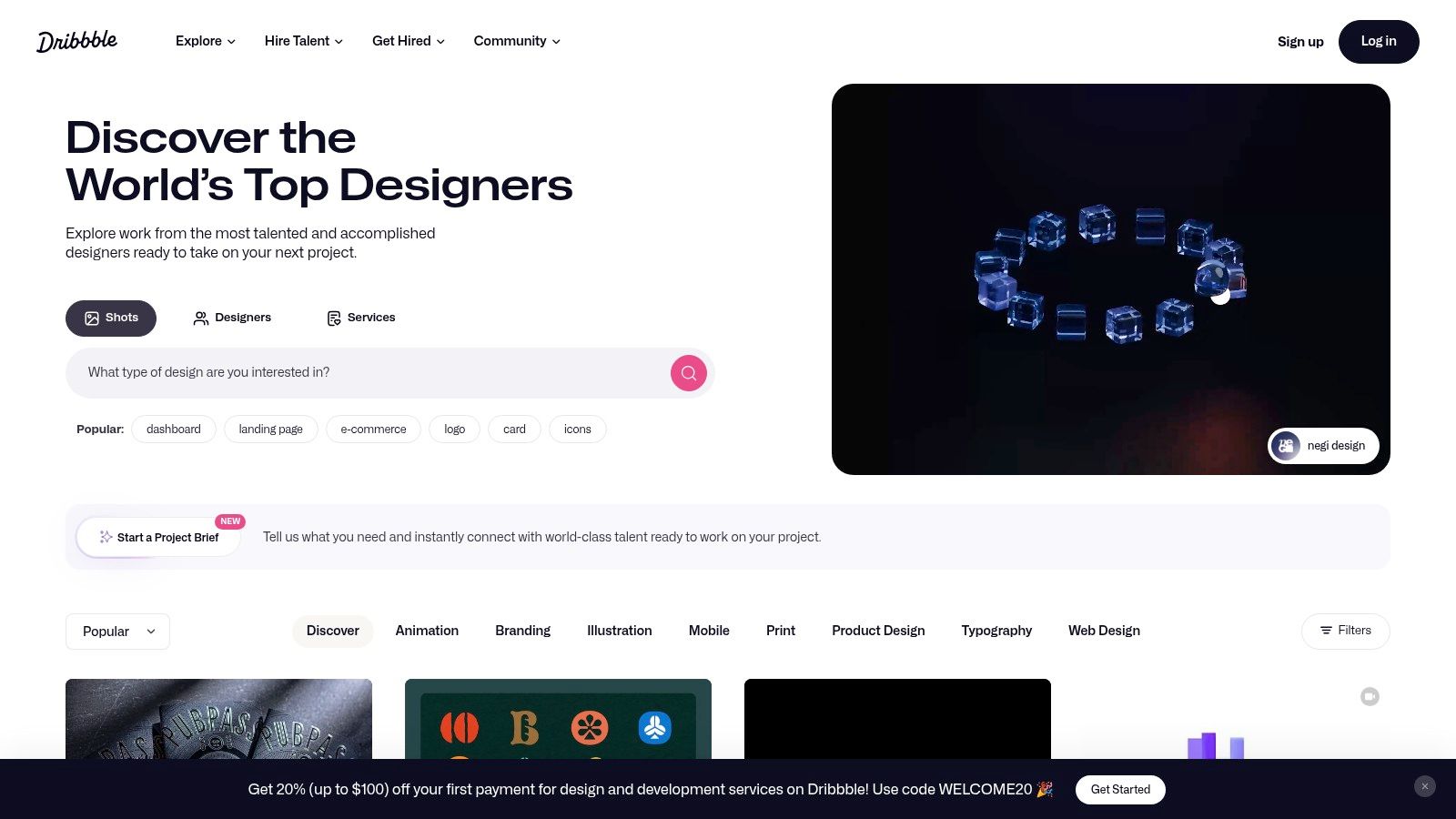
Unlike the deep-dive case studies common on other platforms, Dribbble’s format encourages artists to showcase their best work upfront. This short-form approach is ideal for artists whose work is highly visual and can make an immediate impact, such as character designers or icon illustrators. The platform is designed to connect artists directly with clients, offering built-in tools for job inquiries and project proposals.
Why Dribbble Stands Out
Dribbble’s primary strength is its powerful client-matching ecosystem. Companies and recruiters actively browse the platform’s public feed to find talent for hire. The platform streamlines this process with features like a dedicated "Jobs" board and a "Freelance Projects" marketplace. Pro-level members gain access to even more powerful tools, including advanced search filters and direct client matching, making it a potent engine for generating freelance work.
Furthermore, the platform emphasizes community and visibility. Its popular "Trending" and "New & Noteworthy" feeds can provide significant exposure to high-quality work. While the community has a strong leaning towards UI and product design, exceptional illustration and character art often stand out and gain significant traction.
Strategic Insight: Use "Shots" as a teaser for a larger project. A single, polished image on Dribbble can link back to a full case study on another platform like Behance or your personal website. This strategy leverages Dribbble's high visibility for initial discovery while providing interested clients with the detailed process they need to see.
How to Get Started
Creating a basic portfolio on Dribbble is free, allowing you to upload "Shots" and get discovered. However, to unlock the platform’s full lead-generation potential, a paid Pro subscription is highly recommended. The Pro plans offer enhanced visibility, client-matching features, and reduced platform fees.
| Feature | Cost & Access |
|---|---|
| Basic Profile | Free; allows for uploading "Shots" and a limited portfolio. |
| Dribbble Pro | Paid subscription; offers advanced search visibility, a custom portfolio site (Playbook), and access to freelance projects. |
| Client Matching | Pro members get access to "Recommendations" and "InstantMatch" tools. |
| Platform Fees | Standard platform fees apply to project payments, but these can be waived for Pro members on certain plans. |
| Pro Perks | Pro plans often include valuable perks, such as a one-year subscription to Webflow or other creative tools. |
Practical Tips for Success
- Focus on Visual Impact: Your Dribbble "Shot" is your first impression. Use a high-resolution, visually stunning image that grabs attention immediately. Animated GIFs are also highly effective for showcasing motion design or interactive elements.
- Optimize Your Profile for Hire: Clearly state in your bio that you are "Available for Hire" and specify your areas of expertise (e.g., Character Illustration, Concept Art). This helps you appear in filtered searches by clients.
- Engage with the Right Tags: Use specific and relevant tags to categorize your work. Beyond generic tags like "illustration," use niche tags like "vector art," "game art," or "character design" to attract a more targeted audience.
Website: https://dribbble.com
4. Adobe Portfolio
Adobe Portfolio is the streamlined, elegant sibling to Behance, offering artists a dedicated tool to create a clean, professional, and standalone website. Bundled with most Adobe Creative Cloud plans, it allows creators to build a polished online presence without writing a single line of code. It serves as a perfect destination for those seeking curated digital art portfolio examples that prioritize presentation and user experience.
The platform is designed for simplicity and speed. Artists select from a range of minimalist, responsive themes and can then import their projects directly from Behance, creating a seamless workflow. This allows for a more traditional website structure with galleries, an "About" page, and a contact form, which is often preferred by hiring managers and clients looking for a direct, focused showcase of an artist's best work.
Why Adobe Portfolio Stands Out
Adobe Portfolio's main advantage is its deep integration within the Adobe ecosystem and its incredible ease of use. For artists already subscribed to Creative Cloud, it is essentially a free, high-quality portfolio builder. The ability to sync projects from Behance means you can use Behance for community engagement and discovery while using Adobe Portfolio as your polished, professional hub.
Unlike social-heavy platforms, Adobe Portfolio gives you a private, branded space. You can use a custom domain name, customize layouts, and control the entire viewing experience without the distraction of likes, comments, or competitor profiles. This focus on the artist's work makes it an ideal tool for direct client pitches and job applications.
Strategic Insight: Use Adobe Portfolio as your "master" portfolio for serious inquiries. Link to it from your business cards, email signature, and social media bios. It presents a more professional and curated image than a social media-based portfolio, signaling that you are established and client-ready.
How to Get Started
Access to Adobe Portfolio is included with most paid Adobe Creative Cloud subscriptions. If you have the "All Apps" plan or a single-app plan like Photoshop, you can build and host up to five separate websites at no additional cost.
| Feature | Cost & Access |
|---|---|
| Website Hosting | Included with most Creative Cloud plans. Not available as a standalone product. |
| Custom Domain | Free to connect your own domain name (domain purchase is separate). |
| Behance Sync | Free; import and sync projects directly from your Behance profile. |
| Adobe Fonts & Storage | Access to the full Adobe Fonts library and your Creative Cloud storage. |
| Number of Sites | Host up to five distinct portfolio websites under one account. |
Practical Tips for Success
- Curate Ruthlessly: Your Adobe Portfolio should only feature your absolute best work. Unlike Behance, where you might show process, this is your highlight reel. Aim for quality over quantity to make a strong, immediate impression.
- Customize Your Theme: While the themes are a great starting point, take time to adjust fonts, colors, and layout options to match your personal brand. A unique presentation helps you stand out from other portfolios using the same template.
- Write a Compelling "About Me" Page: This is your chance to connect with potential clients on a personal level. Share your story, your artistic passion, and what kind of work you are seeking. It humanizes your portfolio beyond just the images. This tool is a key part of any creator's toolkit; you can discover other essential services in this guide to the best content creation tools available.
Website: https://portfolio.adobe.com
5. Squarespace
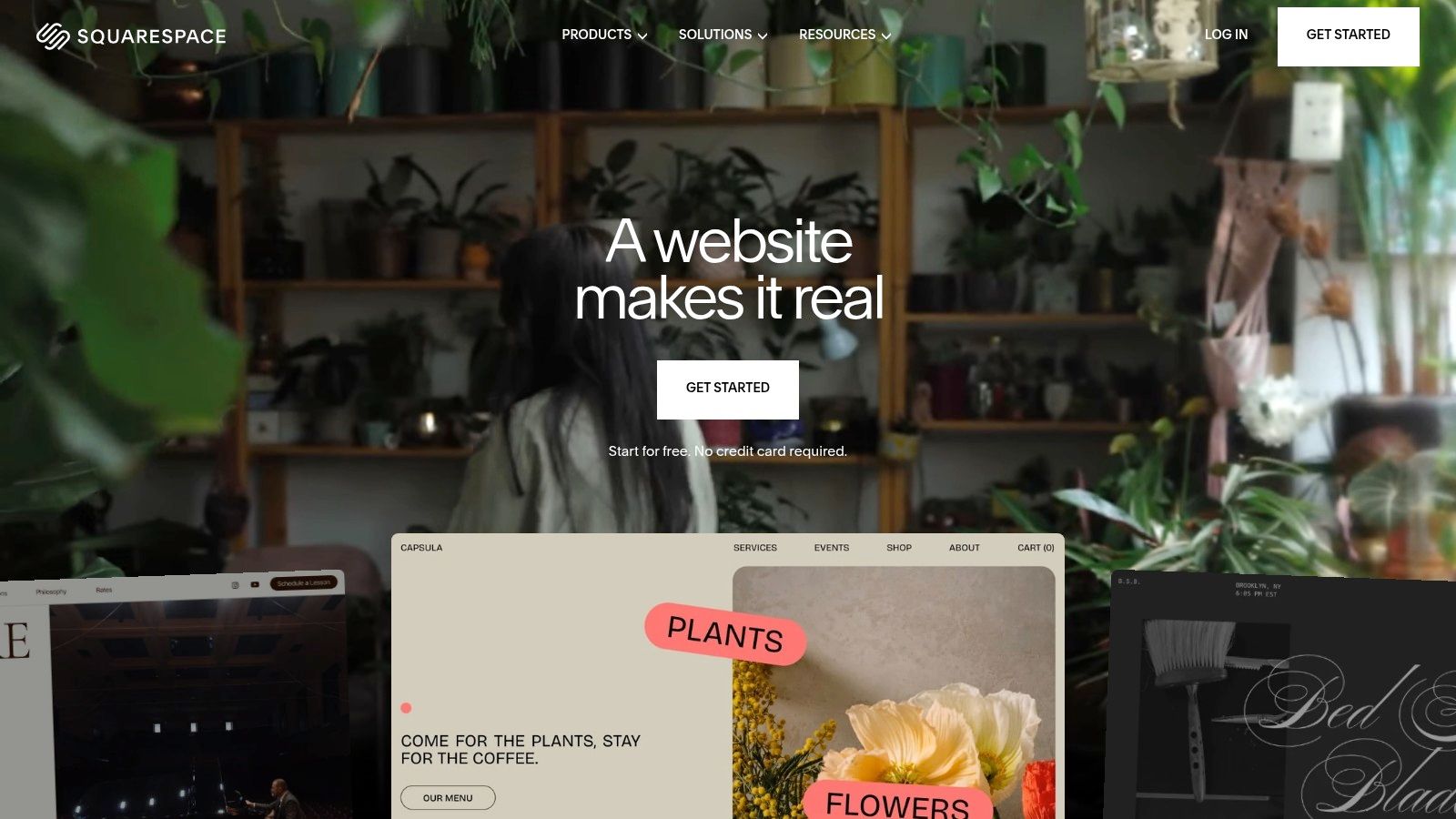
Squarespace is a premium, all-in-one website builder renowned for its elegant, professionally designed templates. While not a community platform like Behance, it provides artists with the tools to create a highly polished, standalone website that functions as a sophisticated gallery for their work. It's the ideal choice for digital artists who want complete control over their branding and presentation, making it a top-tier destination for crafting bespoke digital art portfolio examples.
The platform is built on a user-friendly, drag-and-drop editor, allowing artists to create stunning grid galleries, full-bleed image backgrounds, and dedicated project pages without needing to write a single line of code. This focus on visual aesthetics and ease of use allows creators to build a portfolio that feels like a high-end digital exhibition, complete with integrated blogs, contact forms, and even e-commerce capabilities.
Why Squarespace Stands Out
Squarespace’s primary advantage is its curated, "all-in-one" nature. It handles hosting, provides a domain name, offers analytics, and includes powerful SEO tools right out of the box. This removes the technical hurdles often associated with building a website, letting artists focus entirely on their creative presentation. The templates are modern, responsive, and specifically designed with visual portfolios in mind.
Furthermore, its integrated e-commerce functionality is a major draw for artists looking to monetize their work. You can sell prints, digital downloads, or merchandise directly from your portfolio site with a few clicks. This seamless integration of portfolio and storefront is a powerful tool for building a sustainable creative business. For those looking to build a strong brand identity around their art, building a strong personal brand is key.
Strategic Insight: Use Squarespace's "Portfolio Pages" (previously Index Pages) to create compelling, long-form case studies. You can stack multiple content blocks, including full-width images, text descriptions, and videos, to guide visitors through your creative process for a specific project. This narrative format is far more impactful than a simple grid of images.
How to Get Started
Squarespace operates on a subscription model, offering a 14-day free trial to build your site. All annual plans include a free custom domain for the first year. There are several pricing tiers, each unlocking more advanced features like e-commerce and marketing tools.
| Feature | Cost & Access |
|---|---|
| Website Builder | Starts at $16/month (billed annually) for the Personal plan. |
| Free Custom Domain | Included for the first year with any annual plan. |
| E-commerce | Available on Business plans and higher, starting at $23/month. |
| Transaction Fees | 3% on the Business plan; 0% on Basic Commerce and Advanced Commerce plans. |
| Unlimited Bandwidth | Included on all plans, ensuring your site can handle high-quality images. |
Practical Tips for Success
- Choose the Right Template: Browse Squarespace's "Portfolio" category and select a template that complements your art style. A minimalist template works well for vibrant, detailed illustrations, while a more dramatic, dark-themed template can make concept art pop.
- Optimize Your Images: While Squarespace handles a lot, you should still compress your images before uploading. This ensures your site loads quickly, which is crucial for user experience and SEO.
- Leverage the Blog: Use the integrated blog feature to share behind-the-scenes content, tutorials, or updates. This helps drive organic traffic to your site and gives potential clients a deeper look into your expertise and personality.
Website: https://www.squarespace.com
6. Wix
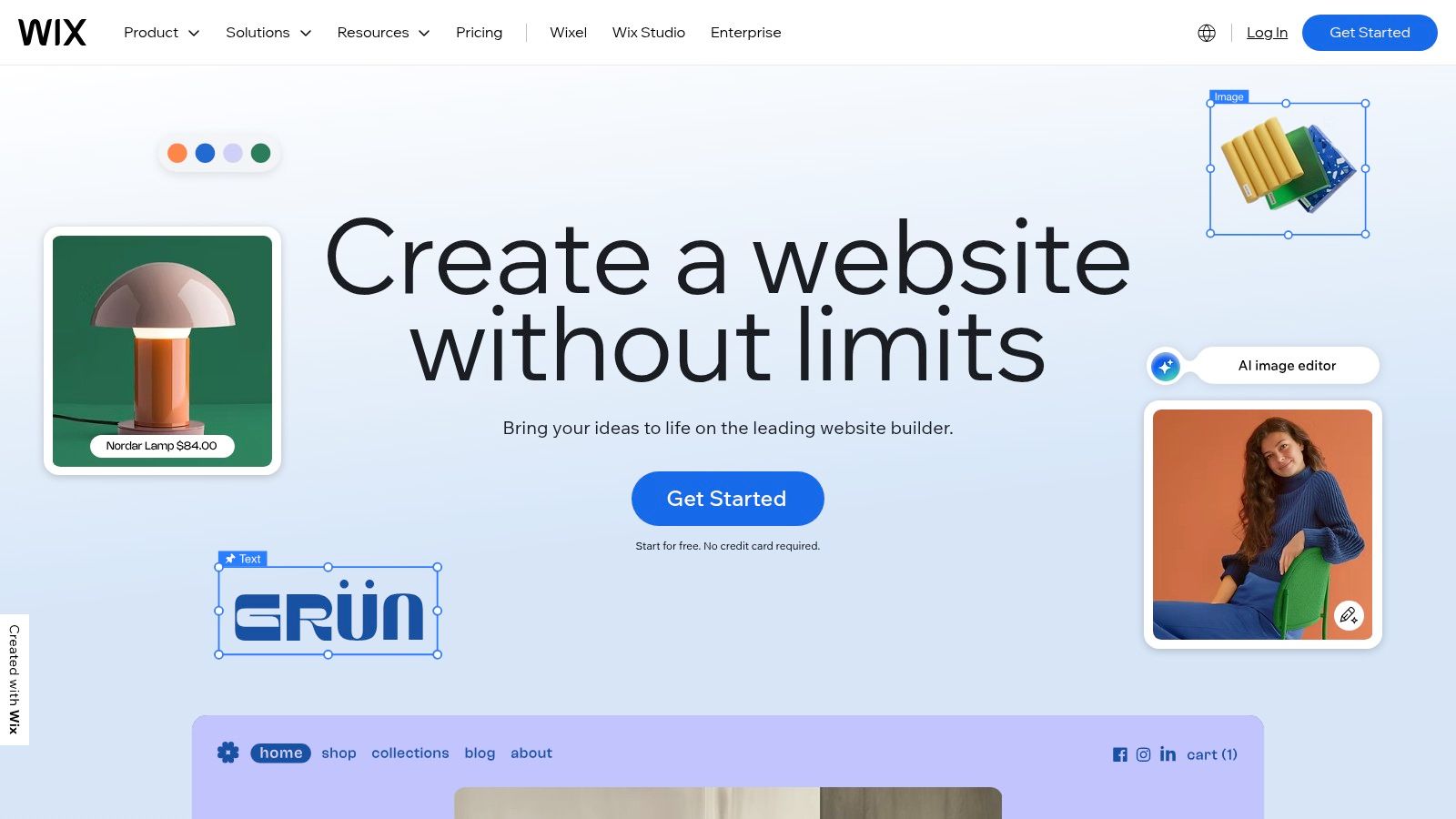
Wix is a highly popular drag-and-drop website builder that empowers artists to create fully customized, professional-looking portfolio sites without needing to write a single line of code. It offers a vast library of templates specifically designed for artists and photographers, providing a strong starting point for showcasing digital art portfolio examples. Its flexibility and powerful app market make it an ideal choice for creators who want total design control and the option to expand their site with e-commerce or booking features later on.
The platform's core is its intuitive visual editor, which allows for granular control over every element on the page. Artists can start with a template or a blank canvas, adding galleries, video players, and text blocks exactly where they want them. This level of freedom is perfect for creating a unique, branded online space that truly reflects an artist's personal style and aesthetic.
Why Wix Stands Out
Wix excels in its blend of user-friendliness and powerful features. While many template-based builders can feel restrictive, Wix’s editor offers near-total design freedom. Its "Wix ADI" (Artificial Design Intelligence) can even generate a custom website for you in minutes based on a few questions, which you can then fine-tune manually. This makes it accessible for absolute beginners while still offering the depth that more experienced users appreciate.
Furthermore, the Wix App Market is a significant advantage. Artists can easily integrate tools for selling prints (Wix Art Store), managing client bookings (Wix Bookings), or building an email list (Wix Email Marketing). This transforms a simple portfolio into a comprehensive business hub, allowing you to grow your online presence and income streams from a single platform.
Strategic Insight: Leverage the Wix Art Store app to monetize your work directly. It handles print-on-demand services, secure payment processing, and even allows you to sell digital files, creating a passive income stream from your existing portfolio pieces with minimal setup.
How to Get Started
Wix offers a free plan that allows you to build and publish a site, which is great for testing the platform. However, to use a custom domain and remove Wix ads, you'll need to upgrade to a premium plan. Plans are tiered based on features like storage, bandwidth, and e-commerce capabilities.
| Feature | Cost & Access |
|---|---|
| Website Builder | Free plan available with Wix ads and a Wix subdomain. |
| Premium Plans | Start from the "Light" plan for personal use; "Core" and "Business" plans add e-commerce. |
| Custom Domain | Included for free for the first year with most annual premium plans. |
| App Market | Many apps are free, but some have their own premium subscription costs. |
| E-commerce Fees | Transaction fees apply on sales made through Wix Payments on Business & eCommerce plans. |
Practical Tips for Success
- Optimize for Mobile: Wix provides a separate mobile editor. Use it to ensure your portfolio looks just as stunning on a phone as it does on a desktop. A poor mobile experience can deter potential clients.
- Keep It Clean: With so much design freedom, it’s easy to create a cluttered layout. Stick to a clean, minimalist design that lets your artwork be the star of the show. Use ample white space.
- Explore the App Market: Before you start building, browse the App Market for tools that could support your goals. You might find a gallery app or a contact form that better suits your style than the default options.
Website: https://www.wix.com
7. Creative Market
Creative Market isn't a portfolio hosting platform itself, but rather an essential resource for artists who want to build a polished, professional portfolio without starting from scratch. It's a vast marketplace offering thousands of ready-made portfolio website templates, UI kits, and design assets. For artists looking to quickly launch a unique site on platforms like WordPress, Squarespace, or Framer, Creative Market provides the visual foundation. It's an indispensable tool for finding high-quality digital art portfolio examples that you can purchase and adapt.
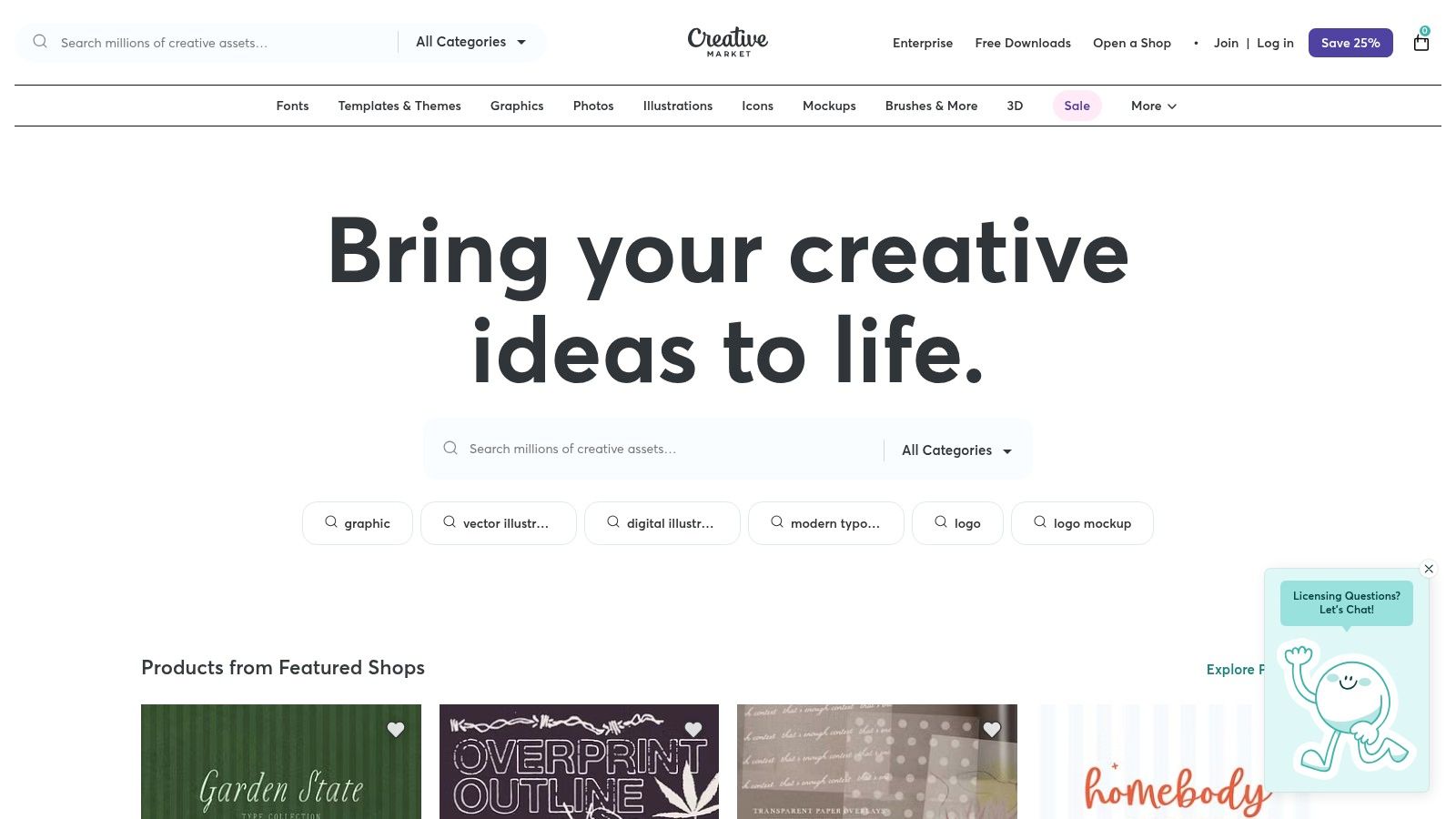
The platform connects independent creators with artists needing design solutions. This means you're buying templates directly from other designers, which often results in more unique and trend-aware aesthetics than generic, built-in themes. Whether you need a minimalist grid layout for your illustrations or an interactive case study template for your UX/UI work, the sheer diversity of options is its greatest strength.
Why Creative Market Stands Out
Creative Market's primary advantage is its ability to accelerate the portfolio-building process while maintaining a high level of quality. Instead of spending weeks coding a website or wrestling with a clunky builder, an artist can purchase a professionally designed template and have a stunning portfolio live in a fraction of the time. This frees up valuable creative energy to focus on the art itself.
The marketplace is also known for its clear and transparent licensing. Each asset comes with defined usage tiers (Personal, Commercial, Extended Commercial), making it easy to understand how you can use the template for your professional or business needs. This clarity is crucial for artists who plan to sell their work or use their portfolio to land commercial projects.
Strategic Insight: Use Creative Market not just for whole website templates, but also for smaller assets that enhance your existing portfolio. Look for presentation mockups, custom font pairings, and social media kits that align with your brand to create a cohesive and professional visual identity across all platforms.
How to Get Started
Browsing Creative Market is free, but you must purchase assets to use them. The platform operates on a per-item pricing model, with no subscriptions required. Prices are set by the individual creators, so they vary widely based on the complexity and quality of the product.
| Feature | Cost & Access |
|---|---|
| Asset Browsing | Free to browse and search the entire marketplace. |
| Template Purchase | One-time payment per asset. Prices vary by creator. |
| Licensing | Personal, Commercial, and Extended Commercial licenses available at different price points. |
| Seller Support | Direct messaging with the template creator for technical support. |
| Platform Fees | All fees are included in the listed price of the asset. |
Practical Tips for Success
- Check the Demo and Reviews: Always view the live demo of a website template and read user reviews before purchasing. Ensure it has the features you need and that the seller provides good documentation and support.
- Verify Compatibility: Double-check that the template is compatible with your chosen platform (e.g., WordPress, Squarespace, Figma). This information is always listed on the product page.
- Look for Bundles: Many creators offer bundles of assets, such as a website template plus matching social media graphics. These can be a cost-effective way to build a consistent brand. For creators interested in selling their own digital assets, Creative Market serves as an excellent case study; for more inspiration, you can find strategies for monetizing digital products.
Website: https://creativemarket.com
7-Platform Digital Art Portfolio Comparison
| Platform | Implementation (🔄) | Resources (⚡) | Expected outcomes (📊) | Ideal use cases (💡) | Key advantages (⭐) |
|---|---|---|---|---|---|
| Behance (Adobe) | Low — simple upload & profile setup 🔄 | Low — free hosting; Adobe ID required ⚡ | High discovery & networking; moderate monetization 📊 | Inspiration, discovery, client inquiries, Adobe sync 💡 | Free unlimited projects, curated exposure, Adobe integration ⭐ |
| ArtStation | Medium — rich media + theme/custom domain setup 🔄 | Medium — high-res asset hosting; Pro for best revenue ⚡ | Very high visibility for game/VFX; strong marketplace sales 📊 | Game/VFX/3D portfolios, asset sales, recruiter visibility 💡 | 4K/3D support, marketplace & learning, industry reach ⭐ |
| Dribbble | Low–Medium — quick “Shots”; Pro for advanced tools 🔄 | Low–Medium — free tier; Pro boosts features/fees ⚡ | Good client leads for UI/visual design; best with Pro 📊 | UI/UX, visual designers seeking clients and short showcases 💡 | Client matching, quick discovery, Pro perks ⭐ |
| Adobe Portfolio | Very low — no-code site builder; Behance import 🔄 | Low if on Creative Cloud; otherwise CC cost ⚡ | Reliable, clean portfolio sites suited for hiring managers 📊 | Quick, polished portfolios for Adobe users; Behance sync 💡 | Bundled with CC, fast setup, hosted with SSL ⭐ |
| Squarespace | Low–Medium — template-based with built-in tools 🔄 | Medium — subscription for hosting, ecommerce ⚡ | High-quality branded sites with native ecommerce 📊 | Artists wanting elegant portfolios + direct sales 💡 | Polished templates, all-in-one site management ⭐ |
| Wix | Low — drag-and-drop builder; many templates 🔄 | Low–Medium — free plan; add-ons/domains increase cost ⚡ | Flexible, customizable sites; good for storefronts/bookings 📊 | Beginners needing design control, storefronts or bookings 💡 | Easy customization, large app market ⭐ |
| Creative Market | Low–Medium — buy & download templates; deploy elsewhere 🔄 | Medium — template purchase + hosting/builder required ⚡ | Fast visual upgrade; outcome depends on deployment platform 📊 | Rapidly acquiring templates/assets for builders (Wix/Squarespace/WordPress) 💡 | Huge variety of templates, clear licensing, instant delivery ⭐ |
Your Next Step: Building a Portfolio That Converts
We've journeyed through an extensive gallery of outstanding digital art portfolio examples, dissecting what makes them effective and how you can replicate their success. From the community-driven showcases on Behance and ArtStation to the polished, custom-built sites on Squarespace and Wix, it's clear there isn't one "perfect" platform. The ideal choice depends entirely on your unique goals, your target audience, and the story you want your art to tell.
The most powerful portfolios we analyzed shared a common DNA. They weren't just a random dump of images; they were meticulously curated experiences. Each piece was chosen with intent, projects were presented as compelling case studies, and the artist's unique voice echoed throughout the entire site. Your portfolio is your most powerful marketing tool, working for you 24/7 to attract the right clients, recruiters, and collaborators.
Synthesizing the Core Strategies
As you move from inspiration to implementation, remember these foundational principles that were evident in the best portfolios:
- Curation Over Volume: Quality always trumps quantity. It’s far more impactful to show ten of your best, most relevant pieces than one hundred mediocre ones. Select work that aligns with the opportunities you want.
- Narrative is King: Don't just show the final piece. Use project descriptions, behind-the-scenes sketches, and process notes to tell a story. This demonstrates your problem-solving skills and creative thinking, which is invaluable to potential clients and employers.
- Clarity and Usability: Your art should be the star, but the user experience is the stage. Ensure your navigation is intuitive, your images load quickly, and your contact information is prominent on every page. A frustrated visitor is a lost opportunity.
Choosing Your Platform and Getting Started
Your next step is to choose the tool that best fits your needs. If you're a concept artist or 3D modeler aiming for a job in the gaming or film industry, ArtStation is a non-negotiable. For freelance illustrators or graphic designers seeking a diverse client base, Behance offers unparalleled visibility. If you prioritize complete creative control and a branded, professional presence, a dedicated site builder like Squarespace or Wix is the superior choice.
Once you've selected your platform, don't feel you have to start from a blank canvas. Building a professional layout from scratch can be daunting. To kickstart your own design, explore various personal portfolio web templates that provide a solid foundation. These templates handle the complex structural work, allowing you to focus on what truly matters: curating your artwork and crafting compelling project narratives.
The Modern Edge: Integrating AI-Generated Assets
In today's rapidly evolving digital landscape, standing out requires a unique edge. A powerful way to enhance your portfolio, brand identity, or specific projects is by incorporating custom AI-generated assets. For influencers, character designers, or artists exploring futuristic themes, tools like CreateInfluencers can generate hyper-realistic AI avatars and visuals.
Imagine adding a unique AI-generated character to your character design showcase or using a custom avatar as your professional profile picture across all platforms. This not only demonstrates your technical fluency but also adds a layer of modern sophistication that can capture a recruiter's attention. By strategically combining your core artistic skills with cutting-edge tools, you create a portfolio that is not just a testament to your past work, but a beacon for your future potential.
Your portfolio is a living document, a dynamic reflection of your growth as an artist. Start building today, apply the strategic insights from these exceptional digital art portfolio examples, and craft a showcase that doesn't just display your talent—it converts visitors into career-defining opportunities.
Ready to add a unique, AI-powered edge to your portfolio or brand? With CreateInfluencers, you can generate stunning, hyper-realistic AI avatars and models that will make your work stand out. Elevate your character designs, personal branding, or digital art projects by visiting CreateInfluencers and start creating today.